
Toolso.AI
Toolso.AI
All ToolsCategoriesTrendingLatest ToolsPricingBlog
Toolso.AI
Toolso.AI
Toolso.AI
Toolso.AI

Discover the best AI tools to boost your productivity

GitHubGitHubTwitterX (Twitter)YouTubeYouTubeTikTokEmail

Popular Categories

  • AI Writing
  • AI Image
  • AI Video
  • AI Coding
  • More Categories

Explore

  • Latest Tools
  • Popular Tools
  • More Tools
  • Submit Tool
  • Pricing

About

  • About Us
  • Contact
  • Blog
  • Changelog

Legal

  • Cookie Policy
  • Privacy Policy
  • Terms of Service
  • Refund Policy
© 2026 Toolso.AI All Rights Reserved
Limited timeLimited-time offerFeatured Listing24h priority review · No backlink · 30 days featured$29.90then $59.90Price rises to $59.90 after Oct 31Ends in--:--:--Submit now
  1. Home
  2. All Tools
  3. 3d Tools
  4. Hyper3D
Hyper3D interface preview
Hyper3D logo

Hyper3D

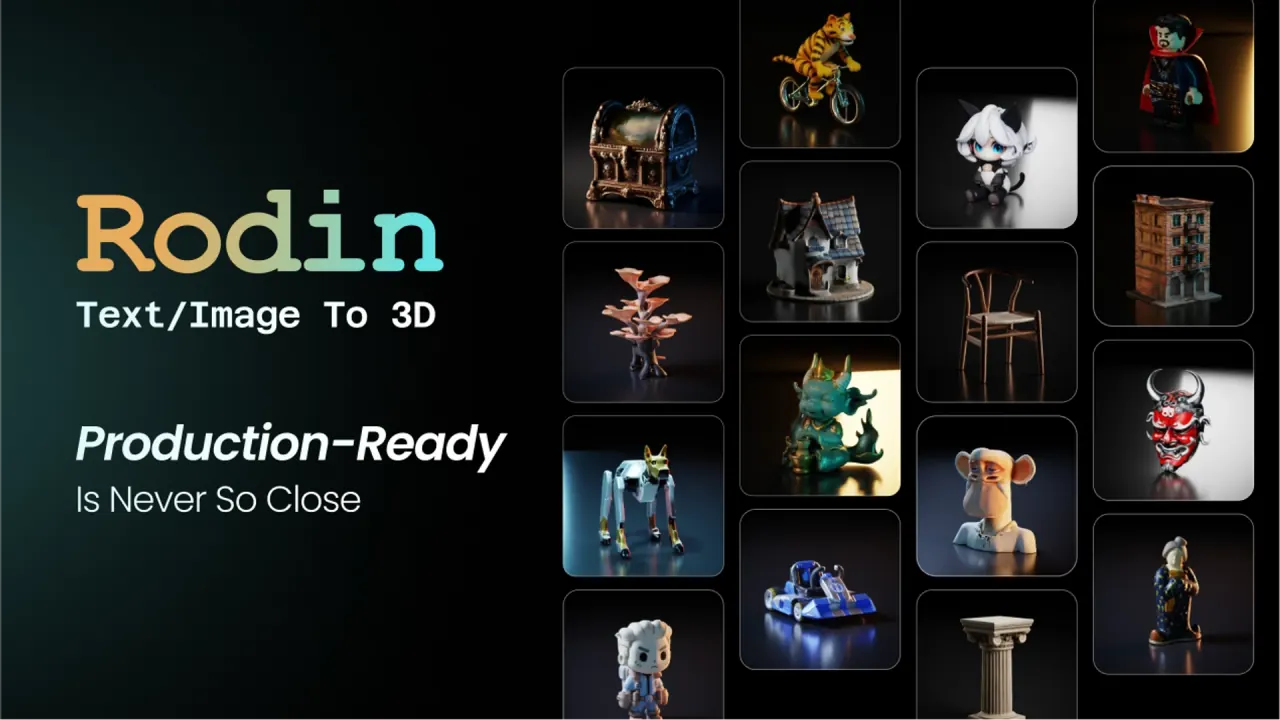
Hyper3D's Rodin model turns one image or a text prompt into a textured 3D model you can export as STL, GLB, FBX, OBJ or USDZ. Previews are free, credits are spent only when you confirm a result, and commercial rights depend on your plan.

3d Tools3D GenerationAI 3D#3d Modeling#Game Assets#Text To 3d
View Pricing
Saves
Visits
Views
Pricing
Paid
Published
Sep 22, 2026
Domain
hyper3d.ai
Community rating

Used this tool? Rate it

Rate this tool

Hyper3D Product Information

View Pricing
Tool Information
Saves
Visits
Views
Pricing
Paid
Published
Sep 22, 2026
Domain
hyper3d.ai
Community rating

Used this tool? Rate it

Rate this tool

Featured Tools

Related Tools

View Pricing

What is Hyper3D?

Hyper3D is a browser-based AI 3D model generator whose flagship model, Rodin, turns text prompts or images into detailed 3D assets in seconds, with no 3D modeling experience required. The site is operated by Deemos Corporation, registered in Wilmington, Delaware, and the same platform also hosts ChatAvatar for 3D characters and OmniCraft, a set of browser 3D utilities.

Independent Chinese technology media reported in June 2026 that the company was founded in 2020 by a team from ShanghaiTech University, has about 60 people, and earns roughly 80% of its revenue outside China. The product pages advertise 10M+ users, a vendor figure rather than an audited one, and a company announcement lists its CAST paper as Best Paper at SIGGRAPH 2025.

One naming caution: an iOS app called "Hyper3D: AI 3D Model Generator" is listed on the App Store under an individual developer's name rather than Deemos, so the name alone does not identify this product.

Core features

Rodin text to 3D and image to 3D

  • Single-image input: One image is enough for Rodin to generate most objects, and additional views are optional when you want extra control.
  • Accepted images: formats include JPG, PNG and WebP, with resolution, framing, background and lighting treated as optional capture choices rather than requirements.
  • Text prompts: text to 3D covers props, characters, product concepts, collectibles and printable models, with style cues such as ceramic, metal or low-poly written into the prompt.
  • Effort presets: Gen-2.5 offers five effort levels, from about 4 seconds at Extreme-Low through 9, 20 and 40 seconds to about 80 seconds at Extreme-High.
  • Polygon budget: target polygon counts are selectable up to 10 million, and LOD generation is optional.
  • Materials: every model ships with PBR textures, namely albedo, roughness and metalness maps.

Prompt wording and technical output are separate controls. Terms such as "game-ready" in a prompt only steer the visual direction; polygon count, effort level and file format are set in Rodin's generation and export settings.

Spatial control, partial edits and low-poly

  • 3D ControlNet: generation can be guided with bounding boxes, voxels or point clouds, fixing proportions before detail is added.
  • BANG partial edit: selected regions of an asset can be edited without rebuilding the whole model.
  • Smart Low-Poly: detailed assets can be optimized into cleaner low-poly models with smoother surfaces.

Export formats

STL, FBX, OBJ, GLB, GLTF and USDZ are the common formats, mapped to jobs: STL for 3D printing, GLB/GLTF for web and AR, FBX for game engines, OBJ for general editing and USDZ for Apple AR. The image-to-3D FAQ adds 3MF and DXF, while text-generated models list only STL, GLB, OBJ and FBX.

ChatAvatar for complete characters

ChatAvatar builds a character package from a text prompt or reference image: a detailed head and face, a matching body mesh, PBR materials, facial controls, blendshapes, ARKit-compatible expressions, visemes, lip-sync and expression presets. Its licensing differs from Rodin's.

OmniCraft utilities

  • AI Texture Generator: turns a compatible gray mesh plus one reference image into textures with maps up to 12K, accepting OBJ, FBX, GLB and USDZ files between 5KB and 150MB.
  • HDRI generator: builds high-dynamic-range environment maps from text prompts or 360° descriptions.
  • Mesh Editor: browser sculpting with 11 tools such as Brush, Inflate and Smooth, with no login, and the page states that nothing is uploaded and files stay on your device.
  • 3D viewer: opens OBJ, FBX, STL, GLB, 3MF, STEP, IGES, IFC and other formats in the browser, up to 200MB and without an account.

Image and video generation

Text-to-image and image-to-video tools are positioned for making 3D reference images and short motion previews. Creator includes Seedream and default models, while Business adds Nano Banana 2, Veo 3.1 and Seedance.

Guide

From one photo to an exported model

  1. Upload a reference image in JPG, PNG or WebP; one view is enough and extra views are optional.
  2. Choose a Gen-2.5 effort level and a target polygon count, adding ControlNet boxes, voxels or point clouds if proportions matter.
  3. Review before paying: generation is pay by result, so you can preview results before confirming credit spend.
  4. Export what the destination needs, such as STL or 3MF for a slicer, GLB for the web, FBX for a game engine or USDZ for Apple AR.

Generating from inside Blender

The Rodin add-on for Blender requires Blender 4.0 or later and Google Chrome 116 or later, and it works alongside the Rodin webpage rather than replacing it.

  1. Download the add-on ZIP from the Add-On menu on the Rodin front page.
  2. In Blender, open Edit, Preferences, Add-ons, choose Install from Disk and enable RodinBridge.
  3. Click the Rodin button in the 3D viewport panel; the Rodin webpage opens a floating window where you monitor the job.
  4. Choose One Click or Manual mode; the generated asset is imported into Blender automatically.

Connecting an AI coding agent through MCP

An MCP server is documented for Kimi Code CLI, Codex and Claude Code. The client opens a browser where you log in, pick a billing workspace and approve access; the agent can then generate with Gen-2.5-Medium or Gen-2.5-Extreme-Low, check progress and return a download link.

Use cases and examples

  • Game prototyping: Hyper3D's CTO has said that many users are game developers who use Rodin to prototype, adding that output is "not that game-ready" but works as a prototype.
  • Product pages and AR: product photos can become 3D models for interactive product pages, configurators and 360° e-commerce previews, exported as USDZ for Apple AR or GLB for web AR.
  • 3D printing: a JPG can be turned into a watertight model and exported as STL for common slicing workflows.
  • Logos and drawings: a flat logo, icon or sketch can be reconstructed and extruded into a solid, editable model.
  • Architecture and education: visual references can become architecture elements, educational models and real estate previews.
  • Enterprise pipelines: Chinese technology media reported that the company counts ByteDance, Unity, Figma and Canva among its business customers, a company-supplied list.

Who is it for

Hyper3D fits people who need editable 3D files regularly and will pay for the rights and refinement features production use requires.

Good fit:

  • Indie game developers and 3D artists who want the Creator plan's unlimited export and any use, Smart Low-Poly and HD textures.
  • Studios and product teams that need the API, higher redo limits and High-Poly Quads on Business.
  • Organizations with identity requirements, since enterprise controls include SAML 2.0 single sign-on, domain-based access and shared asset workspaces.
  • Students and educators, because the Education plan includes Creator tier benefits at education pricing after verification.

Less suitable:

  • Free-tier users planning commercial work, because the free tier lacks the "unlimited export and any use" line.
  • Anyone wanting month-to-month flexibility, since a paid plan cannot be cancelled within its period.
  • Teams expecting finished engine-ready assets, given the CTO's own prototype framing.

Platforms

  • Web: Hyper3D Rodin runs in the browser, and the workflow is automated from upload to download without installing software.
  • Languages: the generator is offered in 12 languages, including English, Chinese, Japanese, Korean, German, French, Spanish and Portuguese.
  • DCC add-ons: Rodin add-ons are documented for Blender, Godot, Unity, Unreal, C4D, Maya, 3ds Max and Omniverse.
  • API: Rodin Gen-2 endpoints accept text-to-3D, image-to-3D, status, download and texture jobs, polled asynchronously.
  • Enterprise: SSO with SAML 2.0, centralized user control, multi-team management and audit logs.
  • Mobile: an App Store search turned up no Deemos app; the only listing using the Hyper3D name belongs to an individual developer.

Pricing

Hyper3D sells monthly and yearly subscriptions plus direct credits; the Yearly toggle is labeled "Save 20%". The table shows each plan's entry tier in US dollars.

PlanMonthly billingYearly billingEstimated outputMain inclusions
Free$0$0Pay per confirmed result; direct credits cost $1.5 each10 private assets, public gallery publishing, export from legacy models
Creator$30 per month$24 per month, $288 charged at purchaseAbout 60 modelsMulti-image to 3D, Smart Low-Poly, HD and custom texture, redos of Geometry x20 and Material x6, unlimited export and any use
Business$120 per month$96 per month, $1,152 charged at purchaseAbout 416 modelsFull API access, high-resolution textures and High-Poly Quads, redos of Geometry x50 and Material x15, ChatAvatar commercial license
EnterpriseCustomCustom annual agreementsCustomOn-premise deployment, custom LoRA and fine-tuning, volume discount
EducationNot listedNot listedNot listedCreator tier benefits after verification

Sliders raise volume: Creator runs from $30 to $240 a month (about 60 to 480 models). Business runs from $120 to $1,200 a month (about 416 to 4,160 models).

Credits granted with a subscription expire at the end of the subscription period, while directly purchased credits cost more but stay valid until used. On the API, a generation costs from 0.5 credit, HighPack adds 1 credit and Gen-2.5 Extreme-High costs 1 credit.

Free downloads are described two ways. The Free card lists export from legacy models and the image-to-3D FAQ says free credits let you export real models, yet the CTO summed the model up in a sponsored interview as "free to generate, but it's paid to download".

Billing, cancellation and refunds

  • Refunds: all payments are final and non-refundable except as required by law.
  • Cancellation: a subscription cannot be cancelled or downgraded during its active period; only upgrades are allowed.
  • Upgrades: the terms add the credit difference regardless of credits already used, while the fulfillment policy says unused credits are cancelled and new ones issued.
  • Minimum term: the terms require paying for at least a two-month plan in one lump sum, which does not match the monthly billing on the pricing page.
  • Invoices: disputes must be raised within 7 days, and late payments may incur a 1.5% monthly finance charge.

Hyper3D alternatives and how it compares

A software review directory names Meshy, Tripo AI and Luma AI Genie as Rodin alternatives. Meshy publishes the clearest comparison points:

  • Free-tier rights: Meshy's free plan gives 100 credits a month under a CC BY 4.0 license that allows commercial use with attribution, while premium users own their assets.
  • Cancellation: Meshy documents a Cancel Plan button in its subscription settings.
  • Formats: Meshy also offers .blend downloads alongside .fbx, .obj, .usdz, .glb and .stl.
  • Billing model: Meshy spends credits when you submit generation tasks, whereas Hyper3D charges on confirmation.

Pick Hyper3D when geometry controls, a 10-million-polygon ceiling and DCC add-ons matter; weigh Meshy when a written free-tier license and self-service cancellation matter more.

Limitations

Output rights and commercial use

  • Rodin terms: Hyper3D says it will not limit your use of Rodin output, subject to the agreements, applicable law and third-party terms.
  • Plan dependency: the same terms say content can be exported for private or commercial use depending on your subscription plan.
  • Pricing page: paid plans include broader export and usage rights, and the Free column has no entry for "Unlimited export and any use".
  • Ownership wording: the image-to-3D FAQ says "You own what you create" and that paid plans include commercial licensing.
  • Attribution: the pages reviewed state no attribution requirement for Rodin output. Unlicensed ChatAvatar output is under a Creative Commons license for personal entertainment only and may not be used commercially.
  • ChatAvatar license: buying the License for an output allows commercial, advertising and merchandising use.
  • No copyright warranty: Hyper3D makes no representation about whether output is copyrightable.
  • Training data: Deemos says it acquired a commercial license for 3D assets from Shutterstock for model training.

Quality and workflow limits

  • Similar outputs: the terms exclude liability for similarity between your output and that of any third party.
  • API rate limits: pricing lists 120 RPM on the first three Business tiers and 240 RPM above, but the API page says "Not publicly documented".
  • Add-on dependency: the Blender add-on needs the Rodin webpage open in Chrome.

What reviewers report

A September 21, 2026 capture of a third-party review platform shows the company averaging 3.0 from 61 reviews, with 34% five-star and 39% one-star ratings. The platform's AI-generated summary of 60 reviews says reviewers value quick model creation and clean meshes, while complaints center on subscription management, unexpected charges, difficulty stopping automatic renewals, and charges after trying to cancel free trials.

Privacy and data handling

  • Use of prompts: prompts and output may be used to improve services and support research, including through human review and third-party vendors.
  • Private outputs: Rodin output set to private is hidden from other users and not used beyond display in your account.
  • Marketing: the privacy policy says personal data is used for marketing, then says it is not currently used for marketing.
  • Retention: cookie device IDs are kept 21 days and API-generated assets 7 days by default.
  • Age: users must be 18 or have parental permission.
  • Enterprise security: the API page states ISO/IEC 27001 and GDPR certification.
  • Disputes: Delaware law applies with individual arbitration.

FAQ

Q1. Is Hyper3D free to use?

Yes, to start. The Free plan costs $0, generation is pay by result, and direct credits cost $1.5 each, but pages disagree on how much free exporting is included.

Q2. Can I use Hyper3D models commercially?

On paid plans, yes. For the free tier the terms and pricing pages differ, and unlicensed ChatAvatar output is limited to personal, non-commercial use.

Q3. Which file formats can I export?

STL, FBX, OBJ, GLB, GLTF and USDZ, with 3MF and DXF on the image-to-3D page.

Q4. Can I cancel a subscription and get a refund?

Not mid-term: a paid plan cannot be cancelled during its period, and payments are non-refundable except where law requires.

Q5. Does Hyper3D work inside Blender, Unity or Unreal?

Yes. Official add-ons cover Blender, Godot, Unity, Unreal, C4D, Maya, 3ds Max and Omniverse.

Know a Similar Tool?
If you know other great AI tools, feel free to submit them to us