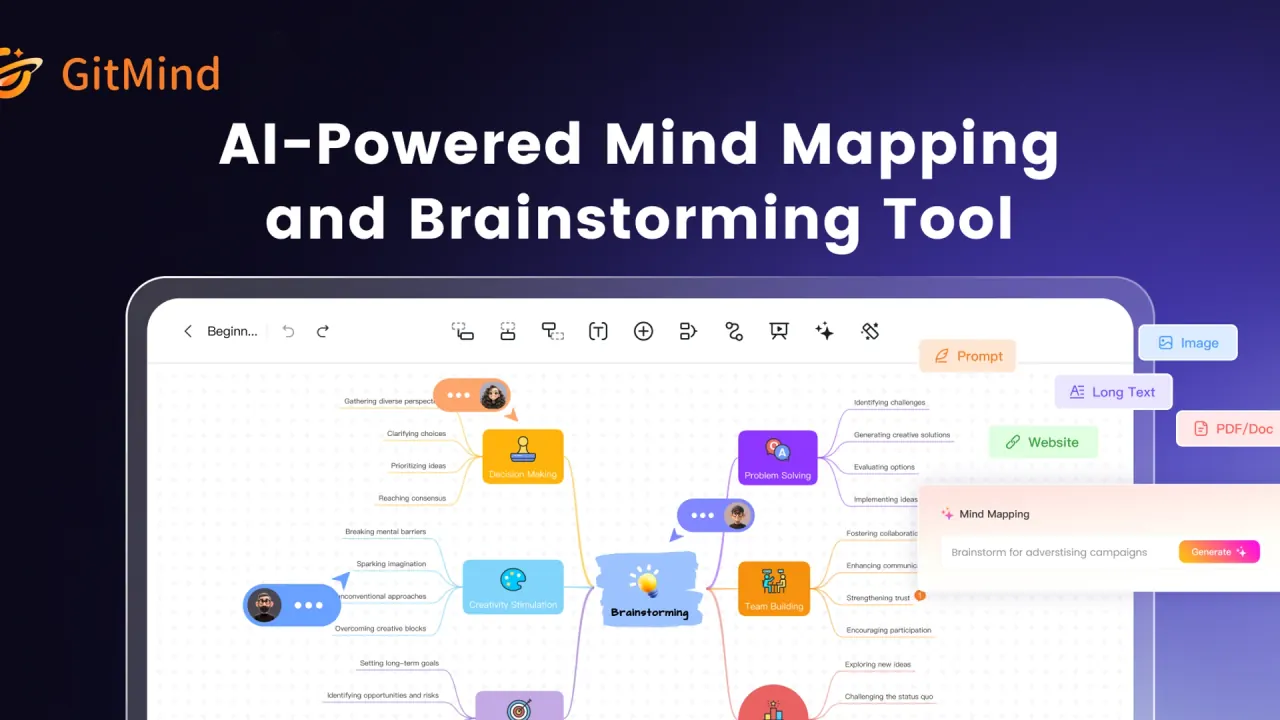

GitMind converts documents, links, audio and video into summaries and editable mind maps. It also offers diagram creation and online collaboration.
Used this tool? Rate it
Used this tool? Rate it
GitMind is an AI workspace that converts text, video, audio, PDFs, websites and images into summaries, structured mind maps, visual infographics and diagrams. It connects source material with visual organization, so a document or recording can become a structure to navigate and discuss.
Its templates cover mind maps, concept maps, organizational charts, Ishikawa diagrams, flowcharts and UML diagrams. GitMind combines AI mind map generation with visual planning and source processing, whose trial and credit conditions vary by feature.
GitMind describes editable, downloadable PDF mind map summaries and AI chat for discussing the summary after generation. The result can be revised visually and explored through conversation.
A document mind map can be shared through an automatically generated link for real-time collaboration or exported in various formats. Sharing and exporting provide different destinations for the result.
The YouTube summarizer is described as transcribing and summarizing videos, including videos without captions, up to five hours long. This is the advertised overall capability; the free daily allowance and captionless-video trial have narrower conditions.
The YouTube summarizer lists English, German, Spanish, French and Japanese among its supported languages. Output-language choice is separate from the duration allowance.
GitMind describes OCR extraction for summaries and mind maps, text-to-image creation, and AI-assisted flowcharts, UML diagrams, class diagrams, ERDs and infographics. These are vendor-described capabilities, without a measured accuracy claim here.
The prompt workflow opens My Mind from the top-right of the main page, chooses GitMind AI and Mind Mapping, enters a topic and clicks Generate.
Selecting a node and using the toolbar AI assistant allows questions about that node, answers and corresponding mind map generation. The selected node provides a focused subject for expansion.
The file workflow opens GitMind AI and Mind Mapping, selects PDF/DOC, then drags or selects a device file and clicks Generate; it accepts one document at a time.
GitMind presents textbook and lecture-note mapping for teachers and learners, and agenda or speech mapping for meeting hosts. These examples organize supplied instructional or meeting material; they do not establish automated meeting attendance.
GitMind presents project plans and documents for mapping progress and task allocation, and speech transcripts or PPTs for extracting presentation key points. These examples concern arranging planning material and distilling an existing message.
GitMind presents research papers and reports as inputs for organizing research topics, plus eBooks and forum articles for mapping key points. Organizing a paper does not establish independent verification of its claims.
GitMind positions the product for project managers, engineers, researchers, teachers and students who want to capture ideas and organize information. Their shared need is a visual structure for planning, reading or discussion.
The terms require users under 18 to read and understand the agreement with a guardian and use the software only with guardian consent.
The download page lists Windows 10 or later, macOS, iOS, Android and a Chrome extension, with work syncing across devices. This is the vendor-described device range; installers were not run in this research.
The help page lists Windows, macOS, web, iOS and Android and states that an internet connection is required for real-time saving and collaboration. Desktop availability does not establish offline operation.
The mobile application supports JPG and PDF export from the mind map's upper-right menu. Open the map, choose Export and select the desired format. Export quality and formats still have plan distinctions.
The public captures on November 1, 2026 showed different pricing content in static HTML and the browser-rendered page. The following table describes the rendered plan cards. Amounts retain the displayed $ symbol; the captured cards do not establish an ISO currency code. Annual rates are monthly equivalents labeled as billed annually, rather than an offer to pay that equivalent each month.
| Rendered plan | Captured price display | Map and storage allowance | Included monthly AI credits |
|---|---|---|---|
| Free | $0 | 3 files; 60 nodes and 2 images per map; 100 MB | No amount stated in the card |
| Basic | $4.92/month, billed annually | Unlimited files and nodes; 50 images per map; 10 GB | No amount stated in the card |
| Pro | $5.75/month, billed annually; $19/month, billed monthly | 100 images per map; 20 GB; includes Basic features | 2,000 |
| Ultra | $11.58/month, billed annually; $39/month, billed monthly | 500 images per map; 30 GB; includes Basic and Pro features | 4,000 |
| Business | $17.42/month, billed annually, at the one-seat selector | 800 images per map; 50 GB; includes Ultra features | 5,000 |
The rendered Free card includes standard image export. Basic includes HD export, one planet and five members per planet. Ultra lists 30 MB image uploads, one planet and 20 members per planet. Business adds shared plan access and AI credits, member-usage tracking, unlimited planets and unlimited members per planet.
The static pricing response instead calls its free plan Basic with up to ten maps or whiteboards and shows a $9 monthly option and an annual option labeled $4.08 per month. This conflicts with the rendered Free and Basic presentation. The refund policy also lists annual totals of $49 for Basic, $69 for Pro and $139 for Ultra, with approximate monthly allocations of $4.08, $5.75 and $11.58. The Basic annual allocation therefore differs from the rendered Basic card, while the Pro and Ultra annual equivalents align with those refund examples.
The public displays are inconsistent; the cause and the amount offered to a particular purchase session are not established. The rendered heading advertises a yearly discount, but no extra discount has been calculated. Monthly Basic and Business prices were not shown in these cards.
Extra AI credits can only be purchased by members, and purchased credits never expire, according to the rendered pricing page. That statement concerns purchased credits, rather than the rollover of subscription-provided monthly credits.
The rendered pricing matrix states an AI file-summary limit of 20 MB for Free and 50 MB for Basic, Pro, Ultra and Business. Summary-input size is distinct from image-upload size and total account storage.
The YouTube entry says free users can summarize 20 minutes of one video per day and each device has one trial for videos without captions. The rendered pricing matrix restricts Free YouTube summaries to videos with subtitles, while Basic, Pro, Ultra and Business are labeled All videos. Both descriptions remain relevant: the entry describes a specific daily allowance and device trial, while the matrix describes plan access. They do not jointly establish unrestricted captionless summarization on Free.
The PDF entry says the summarizer is not free: each conversion uses credits, despite its Online Free AI PDF Summarizer heading. The explicit charge statement qualifies the free wording in that heading.
Monthly and annual subscriptions renew automatically; the rendered pricing FAQ directs cancellation requests to support or Contact Us. After cancellation the account returns to free status while existing files remain accessible.
The terms say subscription cancellation takes effect after the current billing cycle and fees already paid will not be refunded. The separate refund policy describes the conditional guarantees below; ordinary cancellation and an approved refund are presented differently in these documents.
Refunds require qualifying reasons within 30 days after purchase, or seven days for monthly subscriptions; membership refunds are calculated proportionally to months used and returned to the original payment account. Qualifying examples include hardware incompatibility that prevents the software running and support cannot fix; other crucial technical issues reported within that window that cannot be solved; a wrong product requiring exchange for another product in the vendor's list; double charges caused by a third-party e-commerce platform; failure to meet requirements stated on product webpages, sales materials or ads; or failure to activate despite support assistance.
The refund policy permits declining unexplained changes of mind and unmet requirements that were never stated in official product materials. For App Store, Google Play and other third-party purchases, the refund policy directs the initial request to the purchase platform. These are purchase-channel and eligibility distinctions, rather than a single unconditional refund promise for every transaction.
Xmind presents an AI mind map feature, real-time collaboration and project-management functions including task planning and Gantt charts. It is a relevant comparison when a map is expected to become a project structure with tasks and a schedule. GitMind's documented file summaries and video entry put more of this page's emphasis on turning supplied material into a map.
MindMeister offers browser-based mind mapping, native mobile apps and a MeisterTask integration for turning ideas into tasks. Its documented browser entry and task connection make it another relevant option for collaborative planning around a map.
The help page gives Free seven days of version history and seven days of trash retention; paid plans have 30-day version history and unlimited trash storage. These recovery windows are separate from file-creation allowances.
GitMind's detector assesses whether writing may be AI-generated; its AI-likelihood score does not indicate the percentage of AI-generated text. The assessment does not establish how much text was written by AI.
The AI agreement requires legal ownership or appropriate rights for all submitted content and prohibits infringement of third-party rights. Its commercial-use statement is specifically about generated images: the agreement says commercial use of generated images depends on local laws and regulations, with restrictions possible in some regions. This wording does not provide a blanket commercial-rights grant for every kind of GitMind output.
The AI agreement provides no guarantee for image-generation outcomes, which may have defects because of algorithmic inaccuracies and internet variability. This is an image-feature limitation, not a measured error rate for all GitMind functions.
The terms say designated recipients or the public may read, save or further disseminate externally shared mind maps; GitMind cannot restrict reading or saving unless laws, regulations or the agreement are violated. A shared map is therefore subject to recipient use as described in those terms, rather than being a purely private export destination.
The PDF entry says uploaded documents are encrypted and deleted from its servers within one hour after analysis. The YouTube entry separately says it does not store files or data submitted to GitMind tools. These are tool-entry statements and should retain that scope.
The privacy policy says GitMind stores, processes and maintains created or uploaded files, previous versions, charts, sharing lists and related account data to provide the service. This differs from the broad no-storage wording on the YouTube entry; neither establishes a universal zero-retention rule.
Account information is retained while the account exists or is needed for services; deletion begins immediately on account deletion but can be delayed in servers and backups or retained for legal obligations, disputes and agreement enforcement. The stated start of deletion is therefore different from a promise that all copies disappear instantly.
The privacy policy describes account information including name, email, postal address and telephone number, usage events and device details including IP, language, browser and device type. The policy permits service-provider processing and transfers outside the EU, where protections may differ. It also says third-party tracking tools may track product and website use and store information on third-party servers. These disclosures describe more than the source document supplied to a single summarizer.
The terms describe account deletion on web and mobile and say account cancellation is irreversible and data cannot be recovered. Deleting the account is a separate action from canceling subscription renewal.
No. File and node allowances are separate from AI credits. The rendered Pro, Ultra and Business cards include different monthly credit quantities, and the PDF entry explicitly charges credits per conversion. Purchased credit add-ons have their own membership requirement and no-expiry statement.
The help page says an internet connection is required for real-time saving and collaboration. Availability as a Windows or macOS app does not establish an offline mode.
The pricing FAQ says the account returns to free status and previously created files remain accessible. Account deletion is a separate, irreversible action under the terms, with privacy-policy exceptions governing retention.
