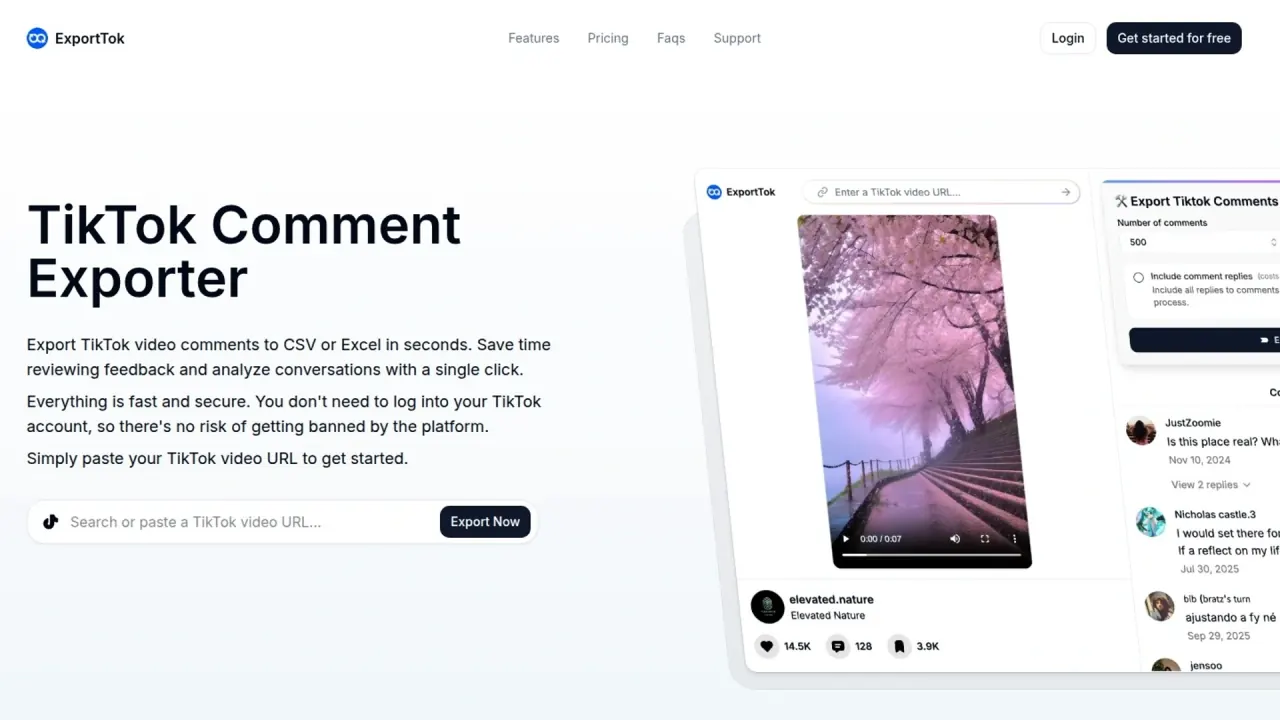

ExportTok is a web-based TikTok comment exporter that saves public comments, with optional replies, to CSV or Excel files. It runs on monthly credit plans after a free 2,000-credit start and adds viewer pages and a bulk video downloader.
Used this tool? Rate it
Used this tool? Rate it
ExportTok is a TikTok comment exporter that allows you to export comments into CSV or Excel files for analysis, reporting, or engagement management. You paste a TikTok video link, choose a few export options, and download a spreadsheet instead of copying comments by hand.
Its terms describe exporttok.com as an AI-powered platform that enables users to export public comments from TikTok. The same site also hosts a set of TikTok viewer pages (profiles, followers, reposts, profile pictures and videos) and a bulk video downloader, so the brand covers more than comments, but comment export is the part the plans and credits are built around.
Three things matter most before choosing it. Usage is metered in credits, with a free starting balance and monthly paid allowances. ExportTok never asks for your TikTok login, but the site's own statements about whether an ExportTok account is required, and about where data is processed, do not fully agree. And the pages checked do not say whether ExportTok has any relationship with TikTok.
Because every row carries usernames, user IDs and profile links, an export is a list of identifiable public accounts rather than anonymous text. That makes the files useful for follow-up work such as contacting giveaway winners or spotting repeat commenters, and it is also why the privacy and compliance points under Limitations apply to the exported data as well as to your own account.
The reply toggle changes what you are analyzing. With replies included, a file shows whole conversation threads, including which comment each reply answers; without them, you get only top-level reactions, which is usually enough for counting sentiment but not for following a debate.
The viewer pages present themselves as free to use, while comment export is the part metered in credits; a separate Ad-Free subscription for the viewers is described under Pricing.
The steps below export TikTok comments from a single video post.
For several videos, the batch export option described above avoids repeating these steps one link at a time.
The site's examples fall into a few concrete jobs. In every case ExportTok supplies the raw spreadsheet; any scoring, grouping or charting happens afterwards in your own tools.
Campaign recaps, giveaway lists and topic counts can be built from a spreadsheet of comments; questions about reach, watch time or audience demographics need analytics that an export of public comments does not provide.
ExportTok names marketers, creators, and researchers as the people it serves, in scenarios ranging from content strategy to data analysis and community management. Its maker wrote in a launch post that the tool was built after spending hours manually copy-pasting TikTok comments for market research.
Good fit
Less suited
No official mobile app, browser extension or public API was found in the pages checked.
ExportTok offers 2,000 credits for free and sells monthly plans for additional credits. The table shows the monthly view of the pricing page, in US dollars.
| Plan | Monthly price | Allowance | Listed extras |
|---|---|---|---|
| Free | $0 | Export 2000 comments | Comment replies, fast extraction, priority support |
| Essential | $9.99 | 500,000 credits per month | Comment replies, fast extraction, priority support |
| Growth | $14.99 | 1,000,000 credits per month | Same as Essential; marked Most Popular |
| Pro | $19.99 | 3,000,000 credits per month | Same as Essential |
A Yearly switch on the pricing page carries a 50% OFF badge, but the annual amounts do not appear in the default monthly view. The pages checked do not state how many credits one comment consumes; the FAQ describes a freemium model allowing a certain number of free exports (e.g., 2,000 comments), after which upgrading is required for higher limits.
Access requirements are described inconsistently. The homepage FAQ says no registration or installation is required to export. In its launch post, the maker wrote that you do need to sign up to use it, but you don't need a TikTok account or credentials.
Cancellation and refunds
Ad-Free subscription
The viewer tools have their own paid tier. The Ad-Free plan, which lets you watch TikTok videos without ads, is listed at $3.99 billed monthly. Billed yearly, the same plan is listed at $33.51. That page's own description says plans start at $6.99 per month, which does not match the monthly card.
The main differences between TikTok comment exporters are whether they need your TikTok login, which file formats they produce, and whether replies are included on the free tier.
ExportTok's case rests on large monthly credit allowances and on never touching your TikTok account; JSON output or coverage of several networks points toward ExportComments.
The pages checked (homepage, pricing, terms, privacy policy and use-case pages) do not say whether ExportTok is affiliated with, endorsed by, or authorized by TikTok. On compliance, the FAQ places the responsibility on users, who are advised to use exported data in compliance with TikTok's Terms of Service and local laws.
The site also makes claims about working around platform controls. The homepage says users can bypass official rate limits when exporting. The account viewer page says ExportTok bypasses regional restrictions so profiles can be accessed regardless of location. The pages checked do not explain how these practices relate to TikTok's own rules.
The downloader removes TikTok watermarks and works on any public profile, while its examples focus on your own videos and research. The pages checked do not address copyright or permission for downloading other creators' videos.
The site gives two different pictures of where data is handled. The homepage FAQ says ExportTok processes data locally on your computer without sending exported comments to web servers. The terms describe the service as a digital software-as-a-service (SaaS) product delivered via the internet, and the pages checked do not explain which data, if any, reaches the AI providers named there.
The privacy policy does not say whether account data or exported comments are used to train AI models. The privacy policy is effective as of 28 August 2026.
TikTok's displayed comment count is not real-time and has a delay, and comments deleted or added shortly before the export also create gaps. A lower row count is therefore not necessarily a failed export.
No. ExportTok works from public video links and does not ask for TikTok credentials. Whether you need an ExportTok account is described differently across the site; the free credits are aimed at new users, and paid plans are managed from an account page.
Partly. Creator profiles can be downloaded as CSV from the account viewer, and all videos from a public profile can be downloaded in bulk. Follower-list export is only available on request through support.
The pages checked do not describe ExportTok as official or state any relationship with TikTok, and the FAQ asks users to follow TikTok's Terms of Service themselves.
