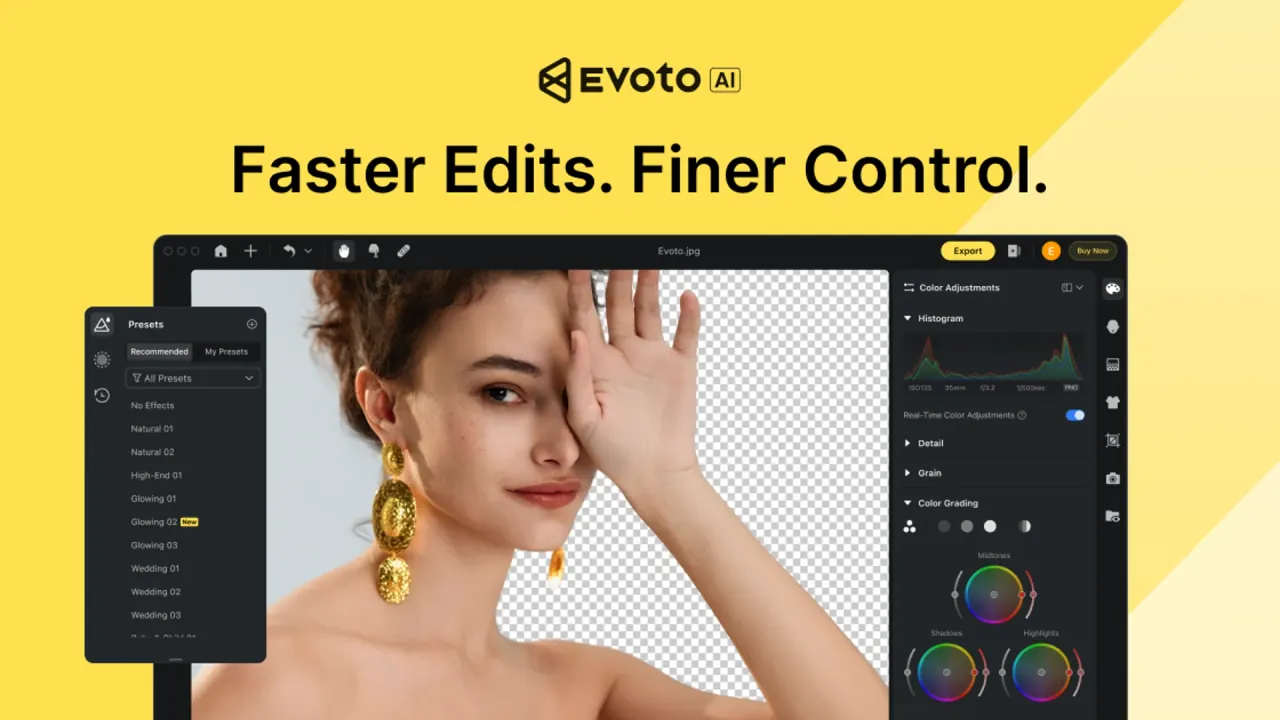

Evoto is AI photo editing software for working photographers that covers tethered capture, culling, per-face portrait retouching, color matching and batch sync on Mac, Windows, iPad and phones. Editing is free to try, while each watermark-free export of an edited photo costs credits.
Used this tool? Rate it
Used this tool? Rate it
Evoto (also branded Evoto AI) is AI photo editing software for professional photographers that runs as a desktop application on macOS and Windows, with companion apps for phones and iPad. It takes a shoot from capture to handoff: the vendor sums up its pitch as "Tether. Cull. Retouch. Deliver." and describes Evoto as an end-to-end photography workflow rather than a single retouching filter. According to the vendor, that workflow covers RAW editing, color grading and portrait retouching from first cull to final delivery.
The pricing logic matters as much as the feature list. Editing and previewing are free to try, but every watermark-free export of an edited photo spends credits, so the real cost of Evoto scales with how many finished images you deliver, not with how long you spend in the app.
Evoto says it is used by more than 1.2M photographers across 200+ countries, a figure it bases on internal account and usage data reviewed as of 2026. Its Terms of Use name Truesight Technology Inc. as the contracting entity for users in the United States and TRUESIGHT PTE. LTD. for users located elsewhere.
Evoto's tools are built to chain together on one shoot. The homepage describes the workflow as applying edits once and syncing them across the full set in seconds, which is why culling, retouching and color tools share the same project rather than living in separate apps.
Two tasks cover most day-to-day use: moving single images between Lightroom Classic and Evoto, and keeping an eye on credits before a large export.
The returned file replaces the temporary copy Lightroom created when the image was sent out, so the catalog keeps a single edited version.
Evoto's own material concentrates on volume portrait work: weddings, headshots, events, newborn, maternity, and beauty and fashion shoots.
The common thread is repetition: these examples all involve applying the same corrections across many similar frames.
Fit depends mainly on how steady your editing volume is, because that decides which way of buying credits makes sense.
It is a weaker match for photographers who often edit without a reliable connection, for anyone who wants unlimited exports for one flat fee, and for users who mainly need generative image creation rather than retouching of real photos.
| Product | Where it runs | Role |
|---|---|---|
| Evoto Desktop | macOS 10.13 and above; Windows 7, 10 and 11 (x64) | Main editor with culling, tethering and batch tools |
| Evoto App | iOS and Android | Mobile retouching, color and tethered capture |
| Evoto iPad | iPadOS | Full editing suite for on-the-go work |
| Evoto Online | Web browser | Quick photo edits in the browser |
| Evoto Video | Separate download | AI-powered video retouching |
The download page listed desktop version 7.3.5-170, updated 2026-09-15, for both Mac and Windows, while the release-notes page already featured 8.0.0 as its key release, so the two official pages did not show the same current version at capture on September 28, 2026.
Hardware requirements are modest on paper: the help center lists at least 8 GB of RAM and a 64-bit (x64) processor at 1.2 GHz or faster, and for Macs a 2015 or later model with Intel or Apple Silicon. The recommended Mac mini and iMac configurations use 32GB RAM and a 1TB SSD.
The App Store and Google Play apps share one account system with the desktop: presets and credits under the same account can be used across desktop and both iOS and Android apps.
Evoto pricing is credit-based. Each edited photo you export consumes 1 credit, while exporting original, unedited images does not use any credits. Essential tools such as basic color adjustments, cropping and file management stay free, and some generative tools cost more per use: in AI Lab, Magic Removal uses 0.5 credits per application and Quick Removal uses 0.1 credits.
| Plan | Credits per year | Annual price shown | Per credit | Devices |
|---|---|---|---|---|
| Starter | 800 | US$89 | US$0.11 | 2 |
| Basic | 1,600 | US$149 | US$0.09 | 3 |
| Basic Plus | 3,600 | US$242 (US$269 also listed) | US$0.07 | 4 |
| Standard | 9,000 | US$521 (US$579 also listed) | US$0.06 | 5 |
| Standard Plus | 24,000 | US$1,205 (US$1,339 also listed) | US$0.05 | 6 |
Prices are as displayed on the pricing page on September 28, 2026; where two figures appear, the plan card showed a "10% OFF" tag next to the higher one. Unused credits roll over at renewal up to 5x the number of credits in your current plan, and rolled-over credits remain valid as long as the subscription is active. There is a 30-day grace period after a subscription ends; renewing within it keeps rollover credits, otherwise all remaining credits expire. Before the renewal date, annual subscribers can buy extra credits at the same discounted rate as add-on packages, and while a subscription is active they cannot buy Pay-as-You-Go credits.
The pricing page says refunds are not typically provided for mid-year cancellations, while the help center's subscription article states there are no refunds for early cancellations. Special discounts are not currently available for students, nonprofits or veterans, and installment payments are not offered on standard plans.
In the independent reviews checked, the clearest differences between Evoto and its rivals are in how each one charges.
| Alternative | Pricing model | How it compares |
|---|---|---|
| Aftershoot | Fixed monthly subscriptions | Covers culling and AI editing without per-export credits |
| Luminar Neo | Perpetual license | Cheaper and more versatile, but weaker at pro-grade retouching |
| Aperty | One-year subscription | No export limit, so volume does not change the cost |
A reviewer noted that, unlike Evoto, Aftershoot has fixed monthly pricing with subscription tiers for culling and for culling plus AI editing. The same review found Luminar's perpetual license works out much cheaper and more versatile, while it cannot measure up to Evoto's pro-grade retouching features. A separate head-to-head reported that Aperty is sold as a one-year subscription with no export limit. Lightroom Classic works better as a companion than a replacement, since Evoto reads its catalogs directly.
Company-level feedback is mixed. On a third-party review platform, Evoto held a 3.7 rating from 376 reviews as captured on September 28, 2026. That platform's AI-generated summary, based on 79 recent reviews, praised ease of use but noted issues with customer service responsiveness, payment processing, credits disappearing unexpectedly and edited photos failing to export properly to other programs.
A technical pilot for an AI Headshot Generator briefly appeared on Evoto's website earlier in 2026, caused controversy among its user base and has since been removed. In an official statement, the company apologized and said that by testing a tool that generates images from scratch, it crossed a line.
Editing, previewing and essential tools are free, and new users can claim free credits. Exporting an edited photo without a watermark costs credits, bought through an annual plan, a Pay-as-You-Go pack or, on iPad, a monthly App Store subscription.
Not fully. Many AI editing features are processed in Evoto's cloud, and even local projects send thumbnails there for processing, so an internet connection is needed for much of the AI work.
Evoto's privacy center says no, and its privacy policy says training on your content would require explicit opt-in consent. The wording differs between the two documents.
Yes. Credits and presets are tied to your Evoto account and work across the desktop and mobile apps, but they cannot be transferred to other accounts.
It was a technical pilot that briefly appeared on Evoto's website. After criticism from photographers, it was removed and the company apologized.
