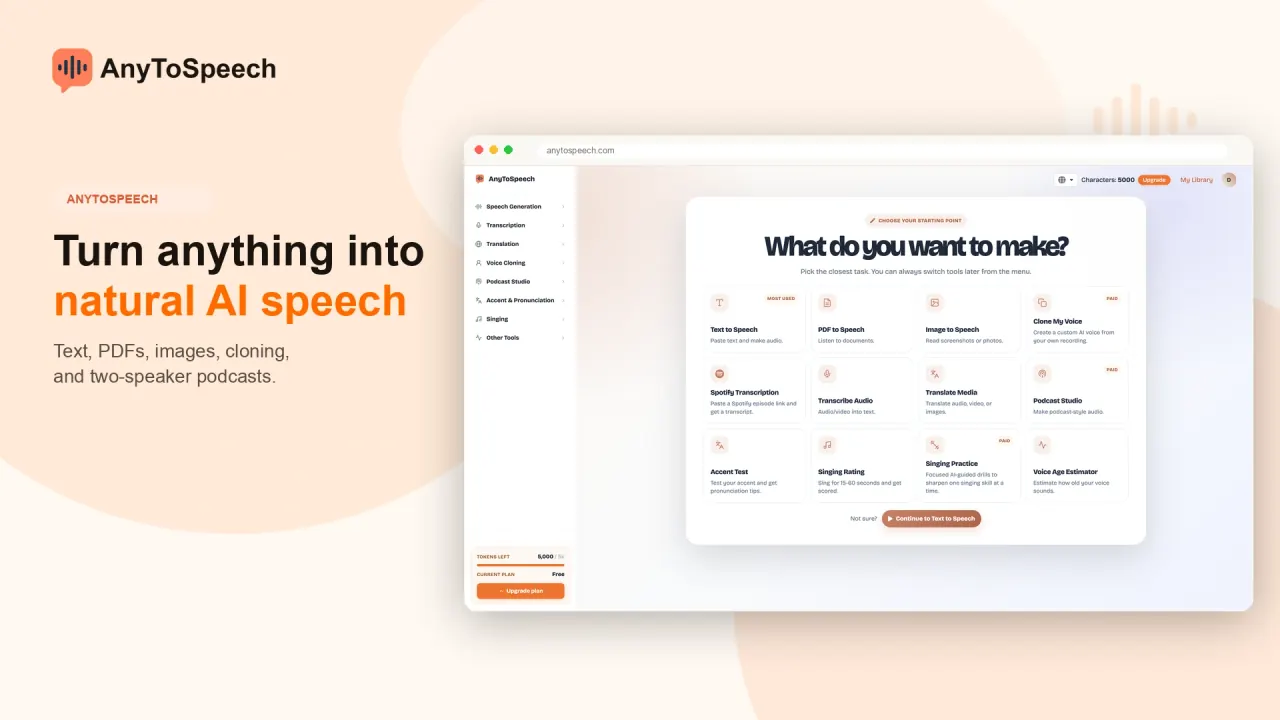

Turn text and documents into speech, transcribe recordings, create voiced dialogues and podcasts, and analyze your accent or singing. Browser, mobile and MCP access share the AnyToSpeech account.
Used this tool? Rate it
Used this tool? Rate it
AnyToSpeech combines speech generation, transcription, translation and voice analysis in one service. Document listening, scripted conversations, custom voices and short vocal assessments sit alongside those core tasks.
Text to speech converts plain text, documents or PDFs into audio with a choice of voices and an MP3 download. The service has separate creation paths for reading documents, performing a written script and composing a conversation from a topic.
Access varies by feature: a free preview, a monthly allowance and paid generation are separate offers.
Completed transcriptions can be retrieved from My Library without keeping the processing page open. The transcription feature also advertises translation and downloads in TXT or DOCX format.
The voice library includes samples and filters for language, gender, tone and accent. The gender filter includes female, male and neutral options.
Voice cloning starts from three guided recordings, each 10–15 seconds long. Browser recording and existing WAV, MP3 or M4A uploads are supported. The resulting clone becomes a reusable voice within the service.
The cloning FAQ lists 27 languages, including English, French, Spanish, German, Brazilian Portuguese, Japanese, Korean, Chinese and Arabic. That figure belongs to cloning, rather than serving as a single language total for every tool. Voice Design separately lists English, French, Spanish, German, Portuguese, Italian, Japanese, Korean and Chinese.
Voice Design accepts either 13 structured attributes or a 30–250-character freestyle description. The attributes cover dialect, gender, age, emotion, tone, pitch, volume, speed, clarity, fluency, personality, texture and environment. No recording is needed for this description-based route.
Each Voice Design request produces three voice previews to compare. The saved result becomes a custom voice choice across supported AnyToSpeech tools. Its access wording needs care: Voice Design is called a Pro feature while also being described as included alongside cloning on paid plans. That wording does not clearly isolate it to the website tier named Pro.
Multi-Speaker Text to Speech supports two to six speakers, pauses and emotion cues, with the conversation mixed into one MP3. The user writes the dialogue and controls which speaker says each line.
Podcast Studio generates a two-speaker MP3 from a topic, with intro music and a spoken episode title. It also accepts a prepared script. The introduction is part of the generated episode.
Topic-based episodes have target spoken lengths of 2, 5, 10 or 20 minutes; pasted scripts can contain up to 12,000 characters. These are target durations and a separate script-input ceiling.
English Accent Test analyzes a read passage for likely native language, a native-like score, vowel and consonant features, and intonation. These are the company's stated analysis categories, not an independent certification of fluency.
Singing analysis reports pitch, rhythm, tone, range, expression, breath control and lyric clarity, together with a voice-type label. It evaluates a submitted vocal performance.
The multi-speaker editor gives control over individual lines, speakers and pauses.
Before recording an AI podcast, the script can be reviewed, rewritten, reassigned between speakers and given delivery notes; the page says charging happens when Record is pressed.
The podcast timeline supports dragging and trimming clips, re-recording one line, changing each speaker's volume and undoing changes. Individual sentences can be revised without replacing the whole episode.
Saving updates the episode in the library and the version played by its share link; downloading returns the latest edit with cover art inside the MP3.
The useful distinction is whether the intended output preserves written lines, explains source material in a generated discussion, or reads a document aloud.
Free previews, paid-generation requirements and the output-use and website-use conditions below are material boundaries for production use.
AnyToSpeech has apps for iPhone and Android. Cross-platform entry points do not establish identical catalogs or limits in every interface.
MCP setup uses account sign-in for ChatGPT, Claude, Cursor or VS Code; Perplexity and Meta Muse use an integration key.
MCP usage consumes the account's existing credits, transcription minutes and plan limits. Assistant-driven creation has the same usage budget as website access.
The website has Free, Hobby, Standard and Pro tiers. The table lists the displayed Monthly prices and entitlements captured on October 29, 2026. The dollar sign is the displayed symbol; an ISO currency code is not specified.
| Website tier | Displayed Monthly price | Speech characters per month | Transcription minutes per month | Voice-clone allowance |
|---|---|---|---|---|
| Free | $0 | 5,000 | 50 | Not included |
| Hobby | $7 | 50,000 | 200 | 1 |
| Standard | $14 | 100,000 | 1,000 | 3 |
| Pro | $69 | 1,000,000 | 5,000 | 10 |
The pricing page describes Free speech conversions as approximately 30 seconds each and excludes premium voices from that tier. The homepage's Free card instead shows approximately 15 seconds of audio. The separate transcription interface states the Free allowance as 50 minutes per month. Speech characters and transcription minutes are separate monthly meters.
Multi-speaker speech uses one credit per character, and new accounts include free credits. Character use and transcription minutes are separate meters.
The pricing interface offers Monthly and Yearly choices with a “Save 40%+” label. Its billing FAQ, however, still describes all plans as monthly subscriptions, says character allocations renew monthly and says unused characters roll over into the next month. The annual selector and the monthly-only FAQ wording coexist; they do not supply one fully consistent account of billing intervals.
Subscriptions may be cancelled, paused, upgraded or downgraded at any time. Refunds are allowed within seven days of purchase only if the product has not been used, through an email request. The unused-product condition is part of the refund policy, so the refund window is not an unconditional seven-day trial after production use.
Luvvoice offers text-to-speech with browser listening and MP3 downloads. It is a relevant comparison for direct text-to-audio work.
Luvvoice also accepts PDF and TXT documents for conversion into speech. This overlaps with document listening as well as pasted-script conversion; it does not establish equal voice quality, terms or production limits.
Narakeet offers document-to-audio conversion and PowerPoint or Markdown-to-video workflows. Its slide-video path is a distinct consideration for a project whose deliverable includes the visual presentation, rather than only a narration or conversational audio file.
Narakeet also converts SRT or WebVTT subtitle files into audio synchronized with their timestamps. This is relevant where existing timing marks define the output.
Podcast Studio generation requires a paid plan; Free accounts can preview voices on the page. A visible “try” entry point therefore does not mean that a free account can produce a finished episode.
The singing rater expects a 15–60-second performance, and wordless humming receives a lower lyric-clarity score. That scoring rule matters when interpreting an overall result: a wordless vocal exercise is not evaluated in exactly the same way as a performance with intelligible lyrics.
The website terms exclude minors and people below 18. That restriction applies even though educational uses and student listening are part of the product's positioning; those audiences are not a statement that all school-age users are eligible.
Named-person voices are described as entertainment AI recreations without affiliation, verification or endorsement by the people named. The site includes a Donald Trump-style generator. The actual generated output and permission from the named people have not been independently verified.
Guests and free accounts on the named-person voice generator are limited to five generations per calendar month, with up to 500 characters each. This is a tool-specific allowance and should not be read as the general speech-character plan allowance.
The cloning marketing page uses a “Start Cloning -- It's Free” call to action. In contrast, the pricing comparison excludes cloning from Free and lists clone allowances on paid tiers. The public wording consequently gives different impressions of whether creating a clone is included in free access.
The homepage's Free card crosses out commercial use on all outputs. The dedicated pricing page lists commercial use under Free features that are not included.
The text-to-speech FAQ permits monetized social posts, paid ads, IVR systems and small-business voice messages, while adding a separate qualification for high-volume commercial use. The website terms separately restrict using the website for advertising or marketing.
The privacy policy discloses email collection and billing details held by Lemon Squeezy, which it says are not directly accessible to AnyToSpeech. It also describes logs containing IP address, browser type, internet provider, timestamps, referring or exit pages and possibly click counts. These general visitor and billing disclosures are separate from promises about particular audio tools.
The cloning FAQ says voice data is encrypted in transit and at rest, clones are private to the account, and voice data is neither shared with third parties nor used to train models. This is a company statement about the cloning feature's voice data; it is not a platform-wide no-training assurance for every document, image, transcript or generated episode.
English Accent Test says audio is immediately deleted after analysis and voice recordings are not stored. The singing tool separately says clips are processed in real time and discarded, without signup or sharing. These deletion descriptions apply to those assessment workflows, rather than to saved podcast episodes, account voice clones or the general Library.
Displaying content grants AnyToSpeech a non-exclusive, worldwide, irrevocable, sublicensable license to use, reproduce, adapt, publish, translate and distribute it in any media. The terms define that content broadly to include audio, video, text, images and other material a user chooses to display on the website. This license is a material content-rights condition alongside the product's output and privacy statements.
Users must own displayed content and avoid invading third-party rights; AnyToSpeech reserves the right to remove it without notice. The MCP voice-studio capability includes deleting custom voices the user owns. That deletion capability does not itself state a retention period or a deadline for removing every related upload or generated file.
No. Podcast Studio allows Free users to preview voices, while generating an episode requires a paid plan. Its access rule differs from the free credits described for a manually written multi-speaker dialogue.
The product combines PDF-to-audio conversion with a reusable cloned voice and explicitly positions that combination for authors. Voice cloning uses recorded samples; Voice Design instead creates a voice from a written description.
No. MCP uses the same account credits, transcription minutes and plan limits as the website. Connecting an assistant changes the entry point into the tools, rather than adding a separate generation subscription.
