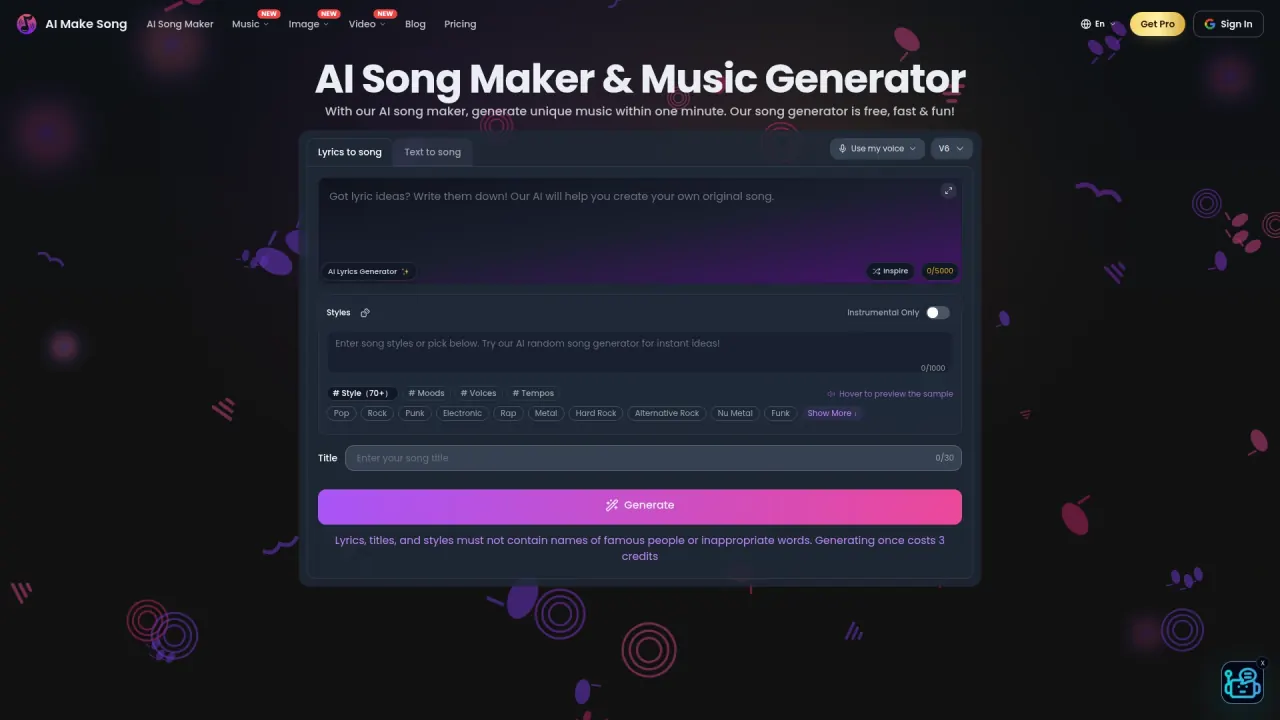

Create songs from a description or your own lyrics, then extend tracks, edit words, and separate vocals or instruments. Paid access adds the advertised commercial-use rights.
Used this tool? Rate it
Used this tool? Rate it
AIMakeSong (also branded AI Make Song) is an online AI song generator that turns a description or supplied lyrics into music, with vocal and instrumental choices. It combines song creation with a lyric-writing tool, audio editing, extensions, vocal removal, and stem separation. AIYONG TECHNOLOGY CO., LIMITED operates the service at aimakesong.com.
Its two starting points serve different material: Text to Music takes an idea described in words, while Lyrics to Music works from lyrics you already have or generate in the service. The homepage lists male, female, or instrumental choices and styles such as pop, rock, rap, and classical.
The captured generator selector was labeled V6 on October 23, 2026. Separate studio marketing on the same homepage still refers to AI Make Song 2.0 and extended eight-minute songs.
The extension library selector specifically says “Pick a Suno track you already generated.” This control label does not establish a provider for every feature or transfer another service's licensing promises.
The vocal remover returns two files: an isolated vocal and an instrumental. It costs three credits per separation and accepts MP3, WAV, FLAC, AAC, OGG, and other common audio formats, with a 100MB upload limit.
Stem Splitter extracts twelve stems for five credits from an MP3 or WAV up to 50MB. The page names vocals, drums, bass, guitar, keyboard, strings, synth, and other instrument families. Failed splitting tasks receive automatic credit refunds. It accepts local files or public audio URLs and extracts the stems together automatically. Results are saved in Stem Splitter History for preview and download; the stated usual processing time is one to five minutes.
Singing Voice creates a voice from a recording for performing AI-generated songs. Its recording instructions require the user's own voice, explicitly excluding someone else's voice, celebrity voices, and copyrighted vocal performances. The recording must be a clear single speaker, without background music; the stated range is ten seconds to two minutes, with a target of thirty seconds or more.
Creating that voice costs thirty credits. The page says the charge applies only when voice creation succeeds, with no charge for failed attempts.
The lyrics-writing tool has its own handoff: Generate Music sends the current text into Lyrics to Song. That is a separate generation with its own credit cost, rather than audio included in the lyric draft.
Lyrics to Song addresses singer-songwriters with finished words and poets or spoken-word writers turning verse into a sung arrangement. It describes keeping a chosen chorus, trying acoustic or pop, and preserving stanza shape for vocal phrasing.
Rappers and hook writers can supply verses and a hook for sung or rapped delivery, rather than starting from a general mood description.
The AI lyrics generator describes itself as a drafting aid: rhyme and slang still need a human pass, and the rap example does not add a separate rhyme engine.
AIMakeSong says it does not yet have a standalone app. Browser installation is offered through Safari on iPhone/iPad, Chrome on Android, and Chrome/Edge on desktop. Its instructions specifically direct iPhone users to Safari for this installation method.
The service is delivered through the website, with account-based access for credits and generation history. Its terms require users to be at least thirteen, or the higher minimum age that applies in their jurisdiction.
On October 23, 2026, pricing displayed discounted annual billing by default. These /month prices are annual-plan equivalents with the following billed totals:
| Annual plan | Displayed equivalent | Billed per year | Annual songs / credits | Simultaneous jobs | Listed storage |
|---|---|---|---|---|---|
| Basic | $10.90/month | $130.80 | 1,200 / 1,800 | 1 | 30 days |
| Advanced | $20.90/month | $250.80 | 12,000 / 18,000 | 2 | Permanent |
| Flagship | $40.90/month | $490.80 | 48,000 / 72,000 | 4 | Permanent |
All three paid cards list extended tracks up to eight minutes, lossless downloads, private generations, priority generation, and commercial copyright with royalty-free use. Advanced and Flagship additionally carry the “all premium AI models” label. Annual allowances do not specify a monthly release schedule.
Basic, Advanced, and Flagship are also offered with monthly billing. The pricing FAQ says monthly subscriptions renew monthly and annual subscriptions renew yearly, with the purchase day as the first billing date.
Music, image, and video tools share the same credits, according to pricing. Song generation uses three credits and creates two songs, while failed generations are refunded.
The Free card lists eight credits for new users, tracks up to four minutes, and one-day cloud storage. Download wording is inconsistent within the captured pricing material: the card contains an MP3 Download label, but the pricing FAQ says free-tier tracks cannot be downloaded and are personal and non-commercial.
Free-credit refresh descriptions also differ by page. The pricing FAQ says the allowance refreshes based on usage time rather than a fixed timezone. Lyrics to Song says there is no daily free credit drop or unlimited free queue. Music Editor instead advertises daily credits resetting every twenty-four hours and covering most editing tasks. These feature-specific descriptions remain unexplained.
The displayed Starter Pack costs $50 for 2,000 credits; Creator Pack costs $100 for 6,000. Both pricing cards say the credits never expire and have no subscription or monthly billing. The refund policy's general credit-pack rule says credits expire one year after purchase unless stated otherwise.
Canceling a subscription stops the next renewal while credits, benefits, and paid access remain available through the current billing period. The pricing FAQ says tracks generated while paid retain the advertised commercial rights after the plan expires; new generations after that period are no longer covered. Voluntary cancellation does not produce a refund for unused days.
The standard refund summary requires a request within seven days of purchase, sixty or fewer credits used, a first refund request, and no terms violation. Its surrounding policy also limits standard goodwill refunds to the first purchase. A separate annual-plan section uses “under 60 credits,” rather than “60 or fewer.” The boundary at exactly sixty credits is unexplained.
Promotional or discounted purchases are excluded from standard refunds unless law requires a refund or the provider caused a material defect. Verified payment errors are handled separately from the seven-day, sixty-credit, and first-time limits. Credit-pack purchases are generally final, with exceptions for confirmed duplicate or wrong charges, credits not delivered and not restorable, or applicable legal requirements. Unused pack credits do not receive partial refunds.
Suno and AIVA offer different songwriting and editing workflows:
| Alternative | Relevant published capability | Different decision emphasis |
|---|---|---|
| Suno | Studio is described as a browser-based DAW for arranging, editing, and mixing songs; iOS and Android apps are offered. | A dedicated song workspace and native mobile access are explicit parts of its offer. |
| AIVA | Custom style models, audio or MIDI influence uploads, and editing of generated tracks are listed. Its Free plan includes MP3 and MIDI downloads. | A composition workflow with MIDI as an explicit input/output format. |
AIVA's Free plan states that AIVA owns the copyright, credit is required, and monetization is not allowed.
AIMakeSong advertises commercial copyright for subscription and one-time-credit-pack users, with no additional royalties or revenue share payable to it. Free outputs are described as personal and non-commercial. The pricing FAQ expressly includes using paid generated songs as the main content of thirty-to-ninety-minute videos or combining tracks into mixes with generated images or animations.
The terms qualify output ownership by payment status, third-party model/provider restrictions, lawful prompts and inputs, and the maximum extent permitted by applicable law. They also say commercial permission from AIMakeSong does not clear third-party rights in prompts, uploads, or likenesses.
Earlier free tracks have another wording difference: the pricing FAQ says upgrading extends commercial copyright and royalty-free use to tracks created on the free plan. The terms separately say free-tier outputs are personal and non-commercial and prohibit their commercial use, without describing that upgrade exception in the reviewed commercial-use section.
The cover page advertises a library including famous artists. It displays named examples involving singers and real people, including Donald Trump and Michael Jackson. A separate blog tutorial specifically tells users to select Justin Bieber from the AI voice library and generate a cover.
Singing Voice's own-recording rule has a different scope: that feature tells users to record only themselves. The terms prohibit copyrighted inputs the user lacks rights to use and unauthorized use of another person's voice or likeness; their prohibited-content list also covers celebrity/real-person impersonation within deceptive or harmful synthetic media. The reviewed pages do not establish permission from the named people; the examples alone establish neither authorization nor infringement.
Music Editor carried a “Beta — internal testing” banner at capture. It said editing was available but history was not, with an expectation of adding history within about two days. This was an estimate at capture. The terms also warn that AI output may be inaccurate, non-unique, or unsuitable for the intended purpose.
Under the terms, private history is not public by default; sharing/publishing or featuring with permission makes content public. Users retain uploads they already own but must grant hosting, storage, processing, transmission, and display rights solely to operate and improve the service for them.
The operator says it does not train its own foundation models on User Content or Generated Content. Providers process inputs under their own terms; unless stated otherwise in-product, the operator does not opt content into provider training where a commercial no-training option is available to it. Human review is allowed for support, reports, investigations, legal requirements, and safety operation.
The privacy policy describes collecting account information, input themes or elements, generated songs, and device information such as IP address and browser type. It permits sharing with service providers and possible transfers to Hong Kong.
Pricing gives free songs one day of storage, Basic thirty days, and Advanced or Flagship permanent cloud storage. The terms separately allow removal for policy or storage limits and say residual backups may persist for a technical period. Payment records may be kept for up to seven years where legally required, and support/report tickets typically for up to two years. Account-data deletion can be requested, subject to legal, tax, fraud-prevention, or dispute retention.
A running job is one simultaneous music-generation task, producing a set of two songs. Two running jobs allow two sets at once, or four songs total.
The vocal-remover FAQ says it cannot. It describes extracting the video's audio as MP3 or WAV first, then uploading that audio to the separation tool.
Yes. The refund policy says the subscription or credits associated with an approved refund are canceled or clawed back. Songs or other outputs generated solely under a fully refunded first purchase may be removed, and the account returns to free access if no other paid entitlement remains.
