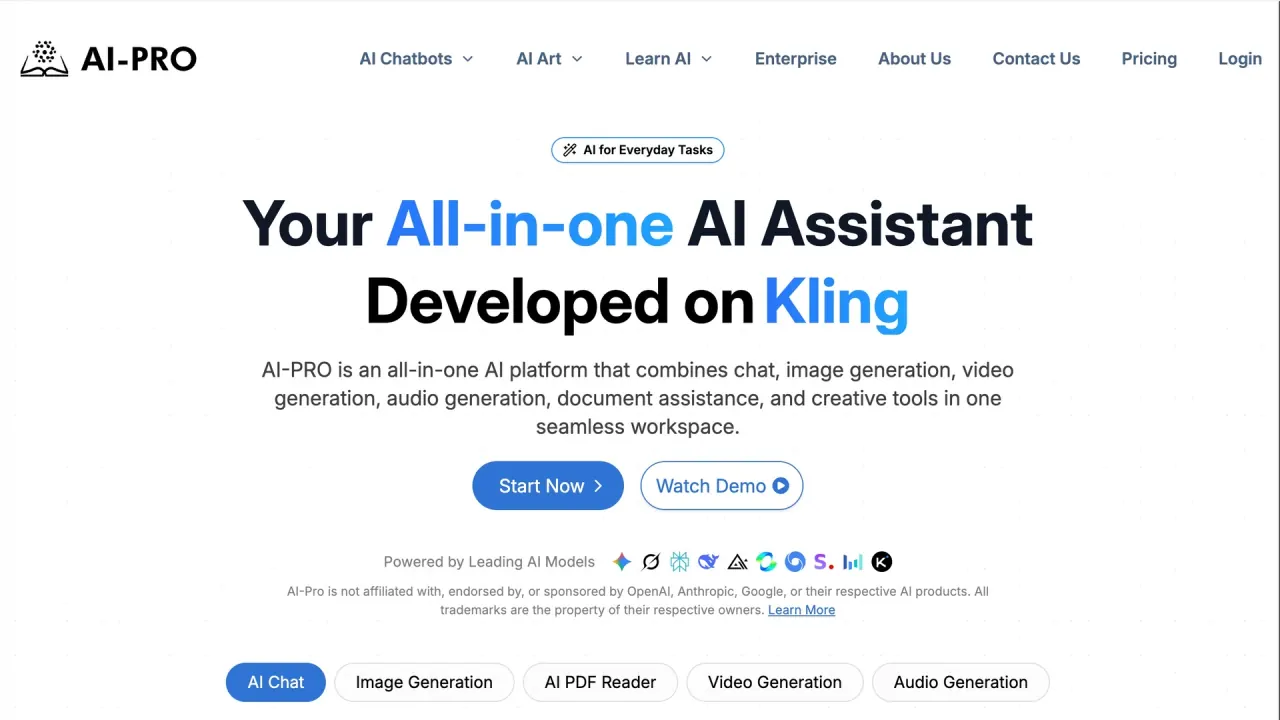

AI-PRO combines AI chat, image and video generation, audio tools and document assistance. Its subscriptions set chatbot and model allowances, while a separate credit policy covers supported generation features.
Used this tool? Rate it
Used this tool? Rate it
AI-PRO is an online AI platform that combines chat, image generation, video generation, audio generation, document assistance and creative tools in one workspace. It brings several tasks under one subscription interface, alongside learning resources about using generative AI.
AI-PRO describes itself as an independent platform integrating third-party AI models. Its disclaimer says it is not affiliated with, endorsed by, sponsored by or officially associated with the named providers unless expressly stated otherwise. Provider names identify technologies within the service; they do not turn an AI-PRO subscription into a subscription sold by those providers.
ChatPDF's AI PDF reader controls follow this upload and conversation sequence:
Translate Now takes text in one language and returns a written translation in a selected target language. It does not provide voice translation, live spoken interpretation or speech-to-speech translation.
TripsAI builds a personalized itinerary from a destination and the number of days for the stay. Generated itineraries can be modified as preferences change.
DreamPhoto offers image downloads in formats including JPEG and PNG.
Business-oriented marketing is qualified by the purchased-content terms, which restrict paid tools or content to personal, non-commercial use. The intended audience and the actual use license are therefore different considerations.
Basic, Pro and Pro Max have monthly and yearly billing options. Amounts retain the published dollar sign. The yearly total is billed annually; the monthly equivalent is a comparison amount. Prices exclude taxes, and additional local tax may be collected.
| Plan | Billed monthly | Billed yearly | Displayed monthly equivalent for yearly billing |
|---|---|---|---|
| Basic | $10 | $97 | $8.08 |
| Pro | $20 | $197 | $16.42 |
| Pro Max | $97 | $932 | $77.67 |
| Plan | Dialogue allowance displayed | Image allowances shown | Video allowance shown |
|---|---|---|---|
| Basic | 500k tokens | Grok Imagine Image: 20; Flux Kontext: 15; Nano Banana 2: 7 | — |
| Pro | 1M tokens | Grok Imagine Image: 50; GPT Image 2: 30; Flux Kontext: 30; Nano Banana 2: 15 | KlingAI: 3 videos |
| Pro Max | Unlimited Dialogue | Grok Imagine Image: 160; GPT Image 2: 160; Flux Kontext: 160; Nano Banana 2: 80 | KlingAI: 15 videos |
The captured pricing markup labels the listed image and video counts, Basic and Pro's overall dialogue limits, the Claude 4.6 Sonnet entries and Pro Max's Claude Opus 4.8 allowance as refreshing monthly. A separate credit policy assigns costs to supported image and video generation. Credits are consumable units distinct from chatbot tokens, with costs that vary by model, quality, resolution, duration and audio setting.
The fair-usage policy also lists independent purchased credit packages: Hobbyist has 120 credits, Artist 350 and Studio 900. It says these packages may be used by eligible users regardless of subscription tier unless otherwise specified.
These are AI-PRO's advertised plan labels; actual upstream version access has not been independently confirmed:
AI-PRO says it may add, remove, replace or modify supported models, providers and features without prior notice. Availability may vary with the subscription, technical limitations, region or upstream provider availability.
Pro Max's “Unlimited Dialogue” describes its overall dialogue offering, while particular models retain their own limits. The same card labels several models with 100k tokens, and Claude 4.6 Sonnet as unlimited. These different scopes do not establish unlimited use of every model.
The visible comparison table also differs from the plan card: it names GPT-5.6 with 100k tokens where the Pro Max card names GPT-6. Kimi K3 is marked unlimited in that comparison table, differing from its finite allowance on the Pro Max card. These are inconsistencies in the vendor's published labels and allowances, without independent confirmation of which description governs delivered access.
The subscription's named image and video counts coexist with the separate credit policy and purchased credit packages. The published descriptions do not establish that all per-model image allowances and purchased credits are interchangeable, or that every generation setting consumes the same amount.
The credit consumption table differentiates settings within the same model. GPT Image 2.0 lists 1 credit for low quality, 2 for medium and 4 for either high or auto quality per image. Kling 3.0 Standard at 720p lists 12, 20, 40 and 60 credits for clips of 3, 5, 10 and 15 seconds; adding audio changes those listed costs to 18, 30, 60 and 90 credits respectively.
Credits are deducted when a request is processed, and partial generations, retries or system-required processing may also consume them. The policy says a failed request can consume credits even when no final output is generated. AI-PRO may review failures and make discretionary credit adjustments, while repeated failures caused by unsupported inputs, policy violations or user-side errors are excluded from recovery.
Purchased credits have no cash value, are non-transferable unless explicitly stated otherwise and are non-refundable. They cannot be exchanged for subscription time, chatbot tokens or other services.
The general FAQ says there is no free trial, but describes a paid trial lasting 14 days at a minimum fee of $2.85. ChatPDF's product FAQ separately says it may offer a free trial period, with pricing plans for extended or premium features. This conditional tool-level statement differs from the general FAQ's no-free-trial wording.
The refund policy, updated in August 2026, defaults to non-refundable and non-exchangeable purchases unless applicable law requires otherwise. AI-PRO describes discretionary refunds and country-specific exceptions, and says access to a refunded service ends. A request submitted within 14 days can still be declined; that discretionary request window is not an unconditional money-back guarantee.
The country-specific policy describes different withdrawal periods: 14 days for the EU, EEA, Switzerland, UK, Turkey and Israel; 7 days for South Korea, Brazil, China, Mexico, Taiwan and Canada; and 5 days for Singapore. These are the vendor's published policy descriptions, subject to their stated residency conditions and other qualifications, rather than an independent statement of local law. For the EU/EEA/Switzerland/UK group, the policy distinguishes the first subscription payment from renewals, and specifically describes a new withdrawal period for UK annual renewals. It also allows a proportionate deduction when digital service began at the consumer's explicit request during the withdrawal period.
The fair-usage policy says exceeding token allowances may lead to temporary throttling or additional charges. Its Pro Max “no limit” entry describes the overall dialogue tier; it does not remove the separate limits attached to particular model labels.
Translate Now accepts up to 2,000 characters per request, including when working with longer documents or articles. Translate Now primarily handles general translation; the vendor says accuracy can vary with content complexity, the language pair and context. This is a request-length and task-scope boundary, separate from the total chatbot token allowance of a subscription.
ChatPDF's feature copy describes cloud storage for uploaded PDFs and says users can delete their files. Its FAQ on the same product page instead says uploaded documents are processed securely and document data is not stored or shared. Those statements conflict, so they do not establish a single unambiguous retention rule for uploaded PDFs.
The general privacy notice describes retaining personal data for legal, business or tax purposes and destroying, deleting or erasing it when no longer needed. It also discloses service-provider categories including payment processors, analytics companies, call centers, data management, help desks, accountants, law firms, auditors and email providers.
The privacy notice discloses sharing with Meta Pixel and Google Analytics for advertising and analytics, and says such sharing may be treated as a sale or sharing under some privacy laws. It describes explicit consent through its cookie banner.
Under the terms, users retain rights in their photos and files as between themselves and AI-PRO, subject to the company license. That license is worldwide, royalty-free, transferable and sublicensable; it is described as perpetual but revocable. Its purposes include operating and improving the website and researching, developing and improving existing or new products, with additional explicit consent where the terms say applicable law requires it.
The terms permit sharing only non-confidential user content for which the user has the necessary disclosure rights. The purchased-content section separately restricts paid tools or content to personal, non-commercial use. Neither statement supports an unrestricted commercial-rights promise for the entire suite. The content license's product-improvement language also does not itself establish a precise model-training policy or identify every upstream recipient of uploaded content.
An industry self-regulatory advertising review in June 2024 recommended clearer separation between AI-PRO and OpenAI or ChatGPT. The advertiser agreed to comply and said some modifications had been made, with additional changes to follow. The public summary records that historical response and does not confirm completion of all later changes. AI-PRO now publishes an independent-platform disclaimer; the historical case is not a current infringement finding.
The terms leave the company name blank in their entire-agreement clause. The captured document is presented as terms and conditions, without a draft label.
The documented cancellation path is to log in, open “Manage” at the upper right, select “Subscription” and click “Cancel” under the “Actions” column.
Yes. Hovering over the chat box reveals two icons; selecting the second, clipboard-shaped icon copies the answer. The copied text can then be pasted into a document.
ChatBot Pro automatically saves prompts, commands and AI-based questions. This history feature is unavailable in ChatBot and ChatBot+.
